Personal side project · Solo build
Office rental platform — a self-serve marketplace for commercial space
A working web platform where property owners publish office, studio and retail space directly, and growing companies find and shortlist their next space without going through a broker. I run it as a personal side project: I set the strategy, designed the whole product, and built the frontend, the Convex backend, the data model and the auth and API integrations myself. This is a real running app with a real backend — it has not launched, so there are no live users or revenue yet.
At a glance
What this is
A self-serve B2B marketplace for renting commercial space in Stockholm. My own project, not client work.
My role
Everything: business model, product strategy, UX and UI, frontend, backend, database design, and the auth and third-party integrations.
Timeline
Roughly six months of evenings and weekends, March–September 2026, still ongoing.
Stack
Vite + React, Tailwind, Convex (backend + database), WorkOS AuthKit, Google Maps, Archilogic, PostHog.
The core idea
Stockholm’s commercial rental market is large and stable but has seen little modern product design. The bet is that a well-built self-serve platform can make the process meaningfully faster than the broker-led norm. This case study is about designing and building that platform, not about the commercial plan behind it.
The opportunity
Renting commercial space in Stockholm still runs on brokers, phone calls and listings that go stale. It is a large, stable market that has barely been touched by modern product design — a slow, offline process where a faster one is clearly possible. That is what the project is aimed at.
Product strategy
The core idea is a self-serve marketplace: property owners list their own space and growing companies find and book viewings directly, with the process designed to run quickly and largely on its own. The rest of this case study is about designing and building that idea end to end — the deeper commercial and product thinking sits in a separate plan.
Discovery
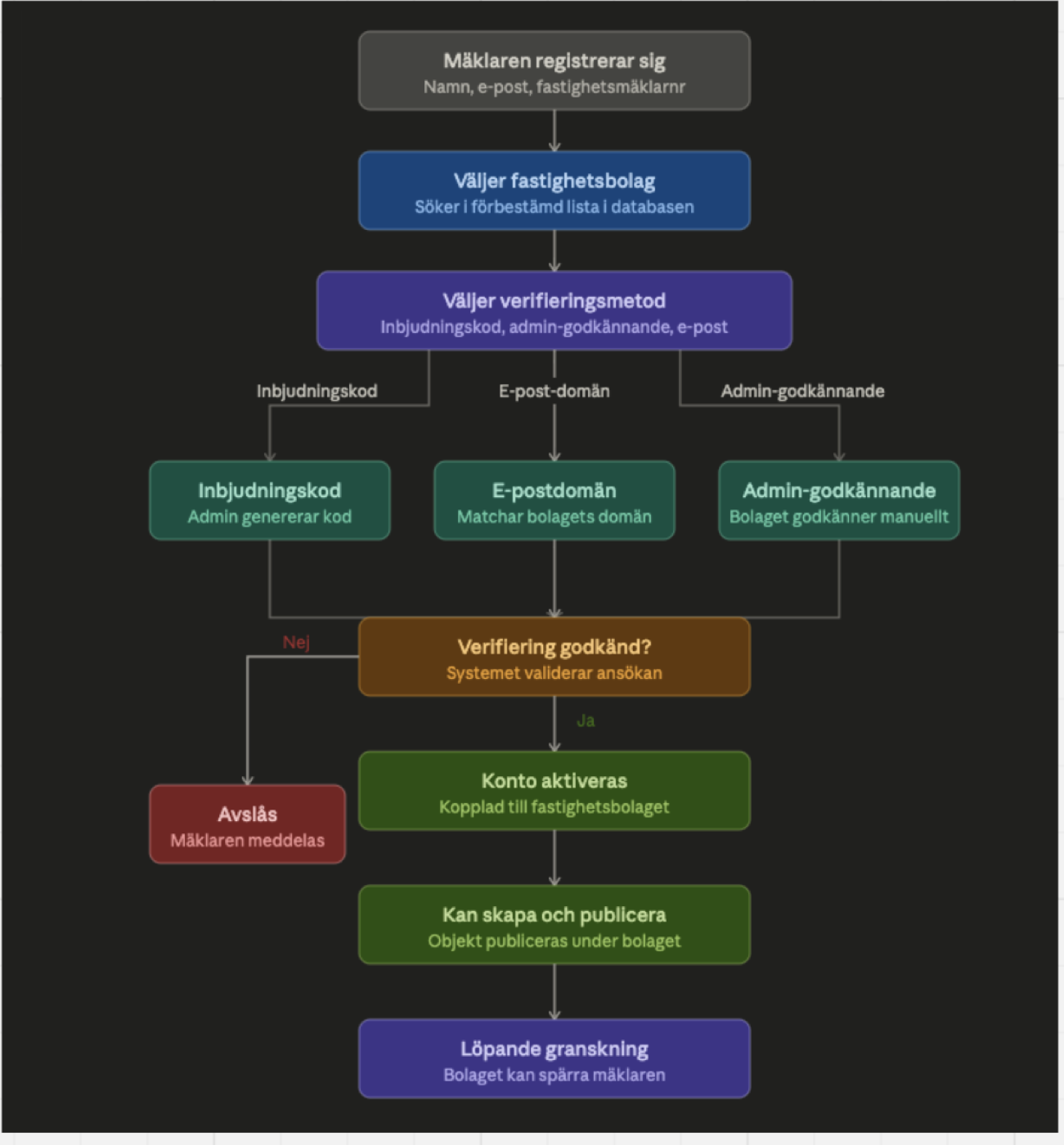
Before drawing screens I spent time in Miro: pulling apart how the established Swedish rental platforms handle listing upload and tenant onboarding, sketching the flows for the parts that would work differently here, and mapping how each kind of user would actually come on board.
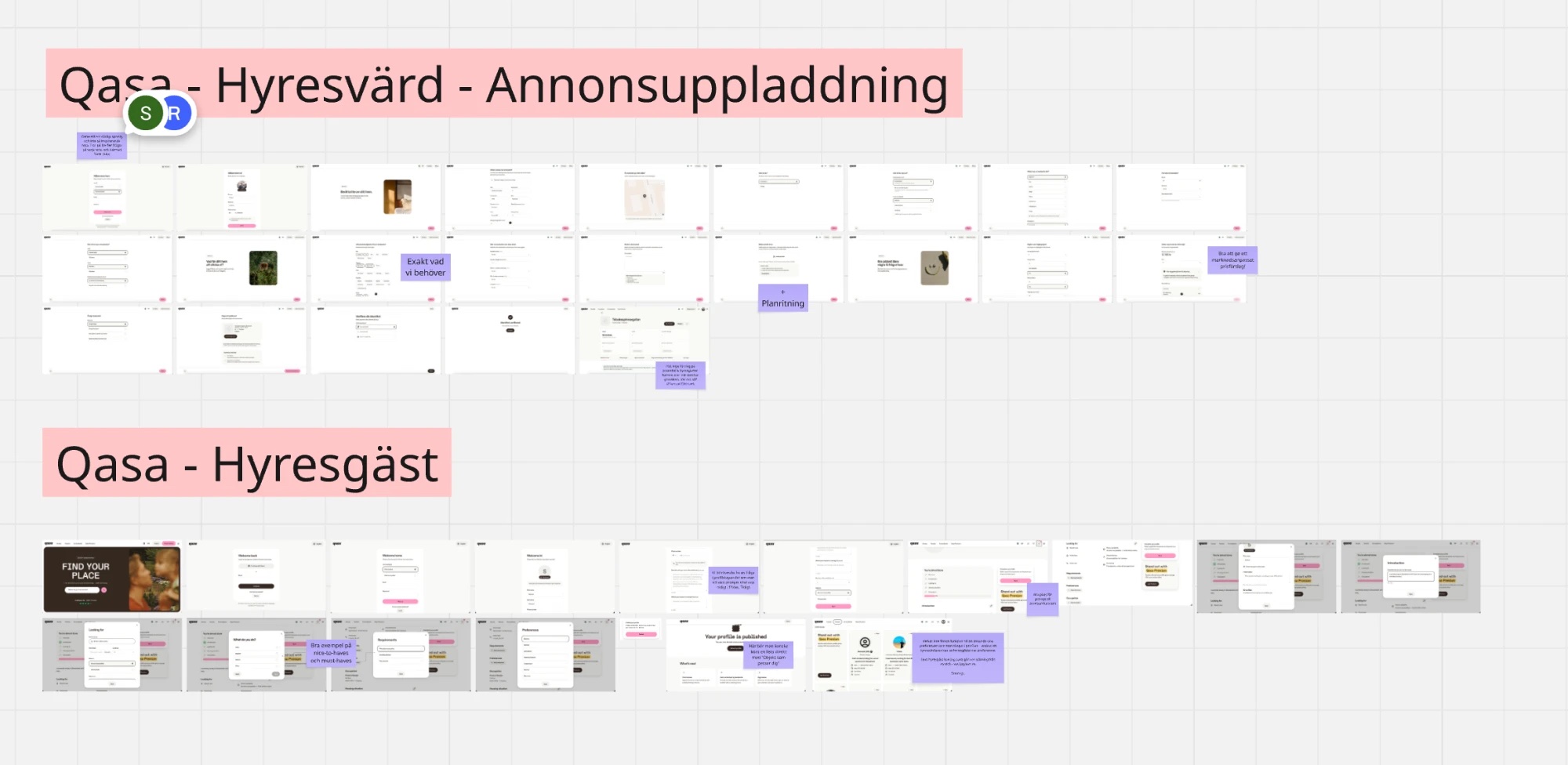
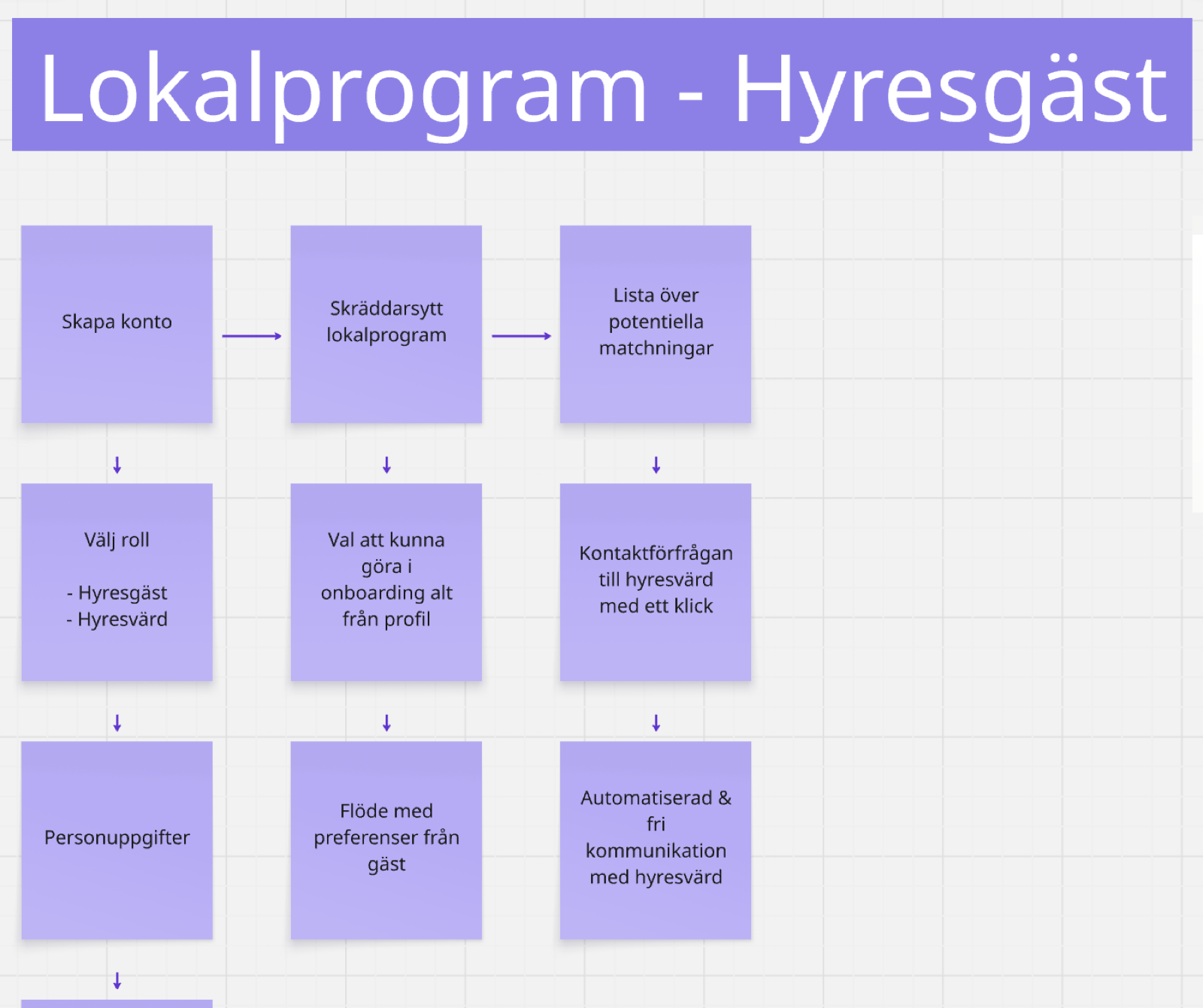
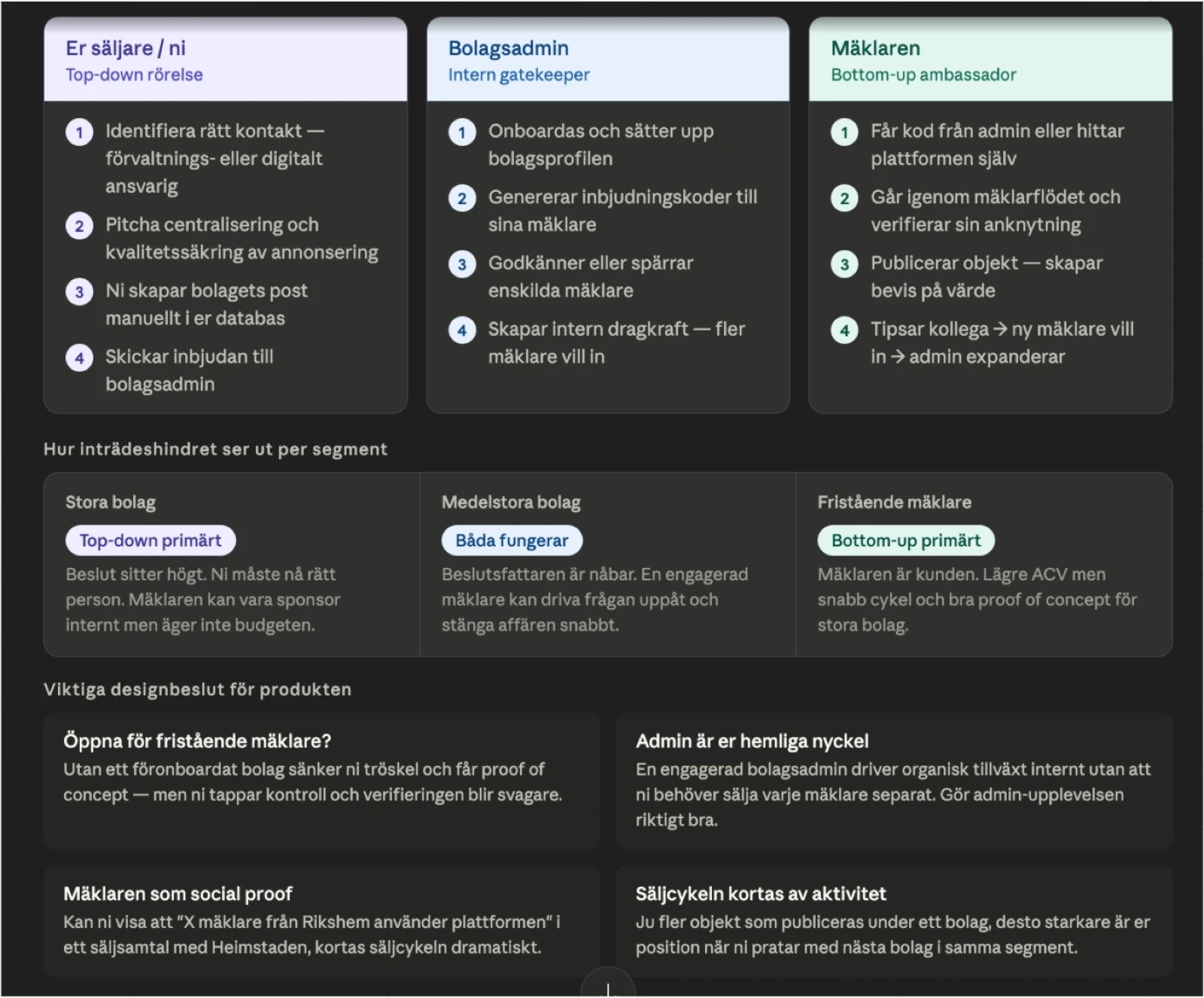
- Incumbent upload flows are long and loosely structured — the case for a shorter, guided publishing wizard on a fixed data template.
- Tenants re-enter the same requirements every time — the case for capturing them once as a reusable spec.
- Publishers aren’t one persona — individuals, companies and their brokers each need a different way in, which is why onboarding is role-first and brokers go through verification.
What I designed and built
This is not a set of mockups. It is a running application with a live backend, seeded with a realistic Stockholm catalogue. The frontend is a single-page React app; the backend is Convex, with the auth layer wired through WorkOS. The numbers below are counted from the codebase.
~25k
lines of frontend code across 60+ components and pages
11
Convex tables with a typed schema and 30+ indexes
40+
Convex queries and mutations across 9 backend modules
3
user roles with route-level and backend permission enforcement
Surfaces in the build
- Marketing site: landing page, “how it works”, Lokalprogram, pricing, FAQ.
- Account: role-first sign-up, sign-in, callback, forgot-password, four onboarding flows.
- Tenant app: Lediga lokaler search, object listing pages, gallery, shortlist, viewing requests, viewings, messages, profile, settings.
- Publisher: a 3-step publishing wizard, “Dina objekt” listing management with an in-panel editor.
- Broker panel: dashboard, own listings, lead CRM, messages, saved objects and searches.
- Company-admin panel: everything the broker panel has, plus a broker team, company profile, and a 9-module analytics view.
| Capability | Hyresgäst | Mäklare | Bolagsadmin |
|---|---|---|---|
| Search, shortlist, book viewings | Yes | Yes | Yes |
| Save a Lokalprogram | Yes | — | — |
| Publish & manage listings | — | Own listings | All company listings |
| Lead CRM pipeline | — | Own leads | Company leads |
| Manage broker team | — | — | Approve / edit / remove |
| Analytics dashboard | — | Own performance | Company-wide, 9 modules |
The landing page
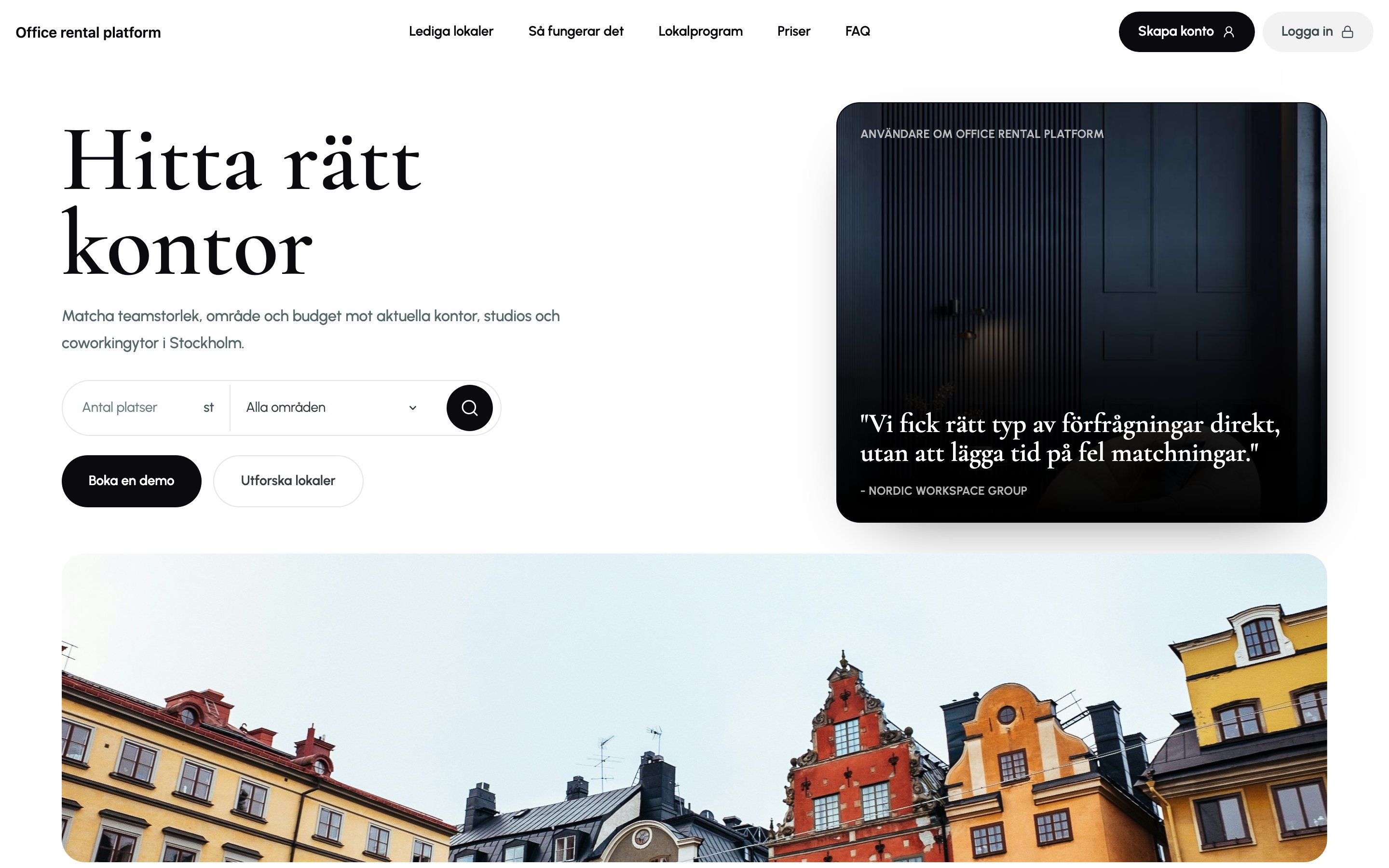
The landing page is doing sales work, so it is deliberately editorial: a high-contrast serif display face against a clean sans, alternating light and near-black sections for rhythm, and real Stockholm photography. The hero headline cycles through space types (“kontor”, “coworking”, “studio”, “butik”) and the search field is functional — it runs a real query.
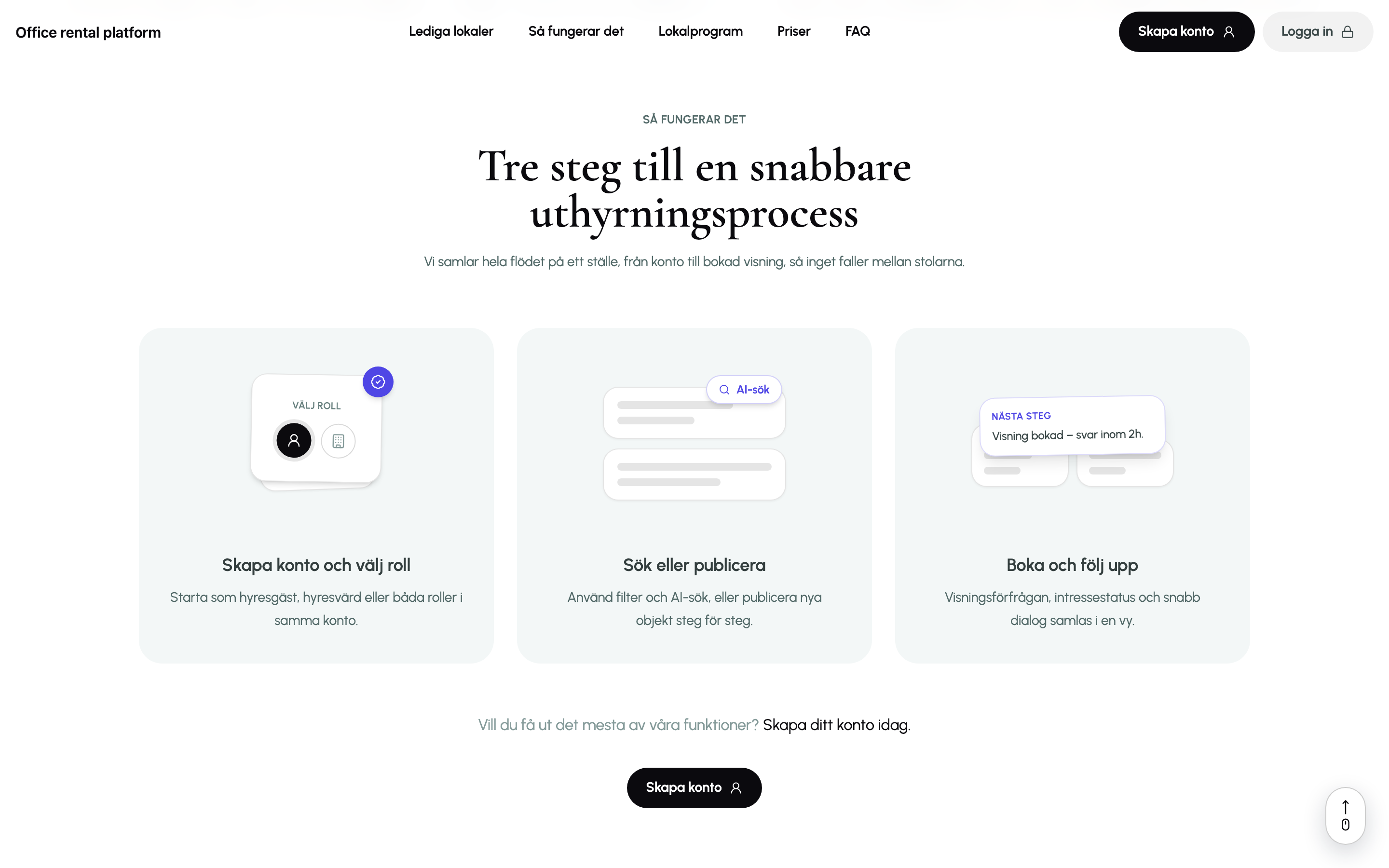
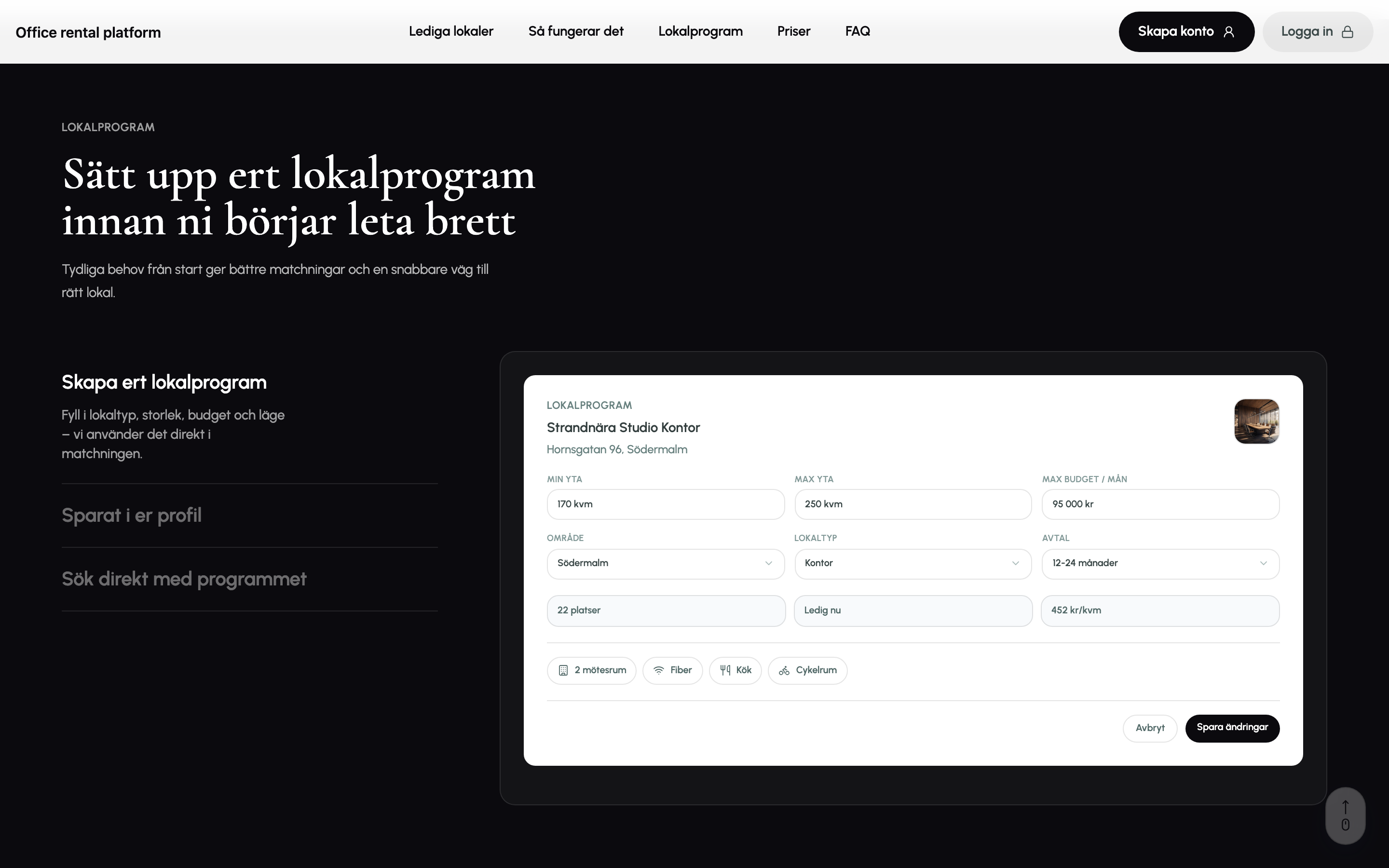
The two feature sections are scroll-driven modules. In “Så fungerar det” and the Lokalprogram block, the left-hand step titles stay pinned while product mockups on the right slide and swap as you scroll through the section — the mockups are built from the actual UI, not flat images.
Lediga lokaler — the search experience
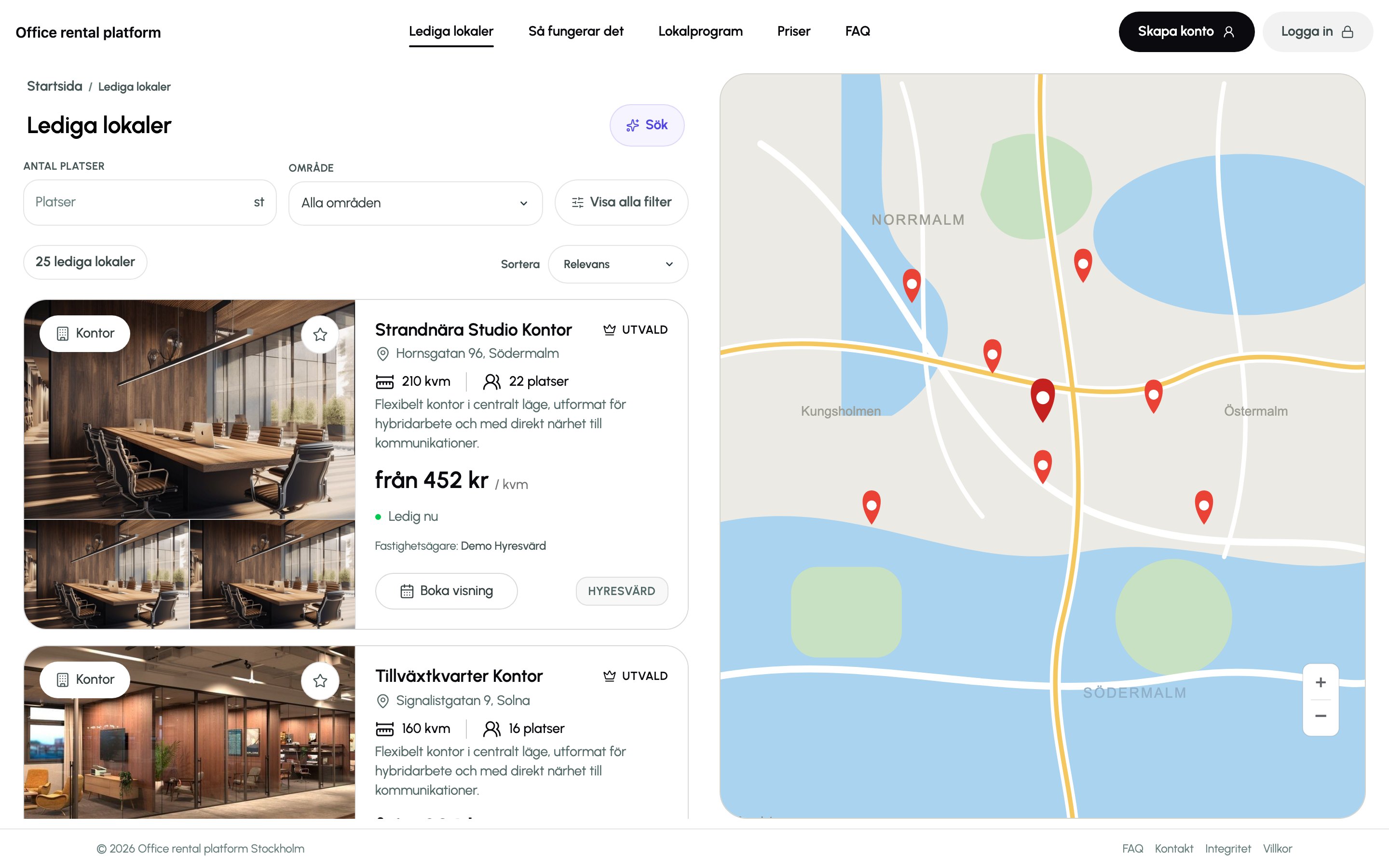
Lediga lokaler is the core tenant surface: a scrollable result list on the left, a sticky Google Map with pins on the right, and a filter bar that becomes a compact sticky pill as you scroll. Featured listings render as full-width horizontal cards; the rest as a two-column grid. It is public — you can browse and open listings without an account, and the sign-in wall only appears when you act.
The full filter set
Behind “Visa alla filter”: type, area, seats, min/max size, min/max budget, move-in date, contract flexibility, transit distance, parking, layout, advertiser, furnishing, and three toggles (operating costs included, accessibility-adapted, eco-certified) — plus a 29-item amenities picker. Filters can be saved as named presets and set to “watch”.
Contradiction detection
If a combination of filters is impossible — area plus amenities too narrow together, size and budget incompatible, or the whole query over-constrained — the UI says so and suggests which constraint to loosen, instead of just showing zero results.
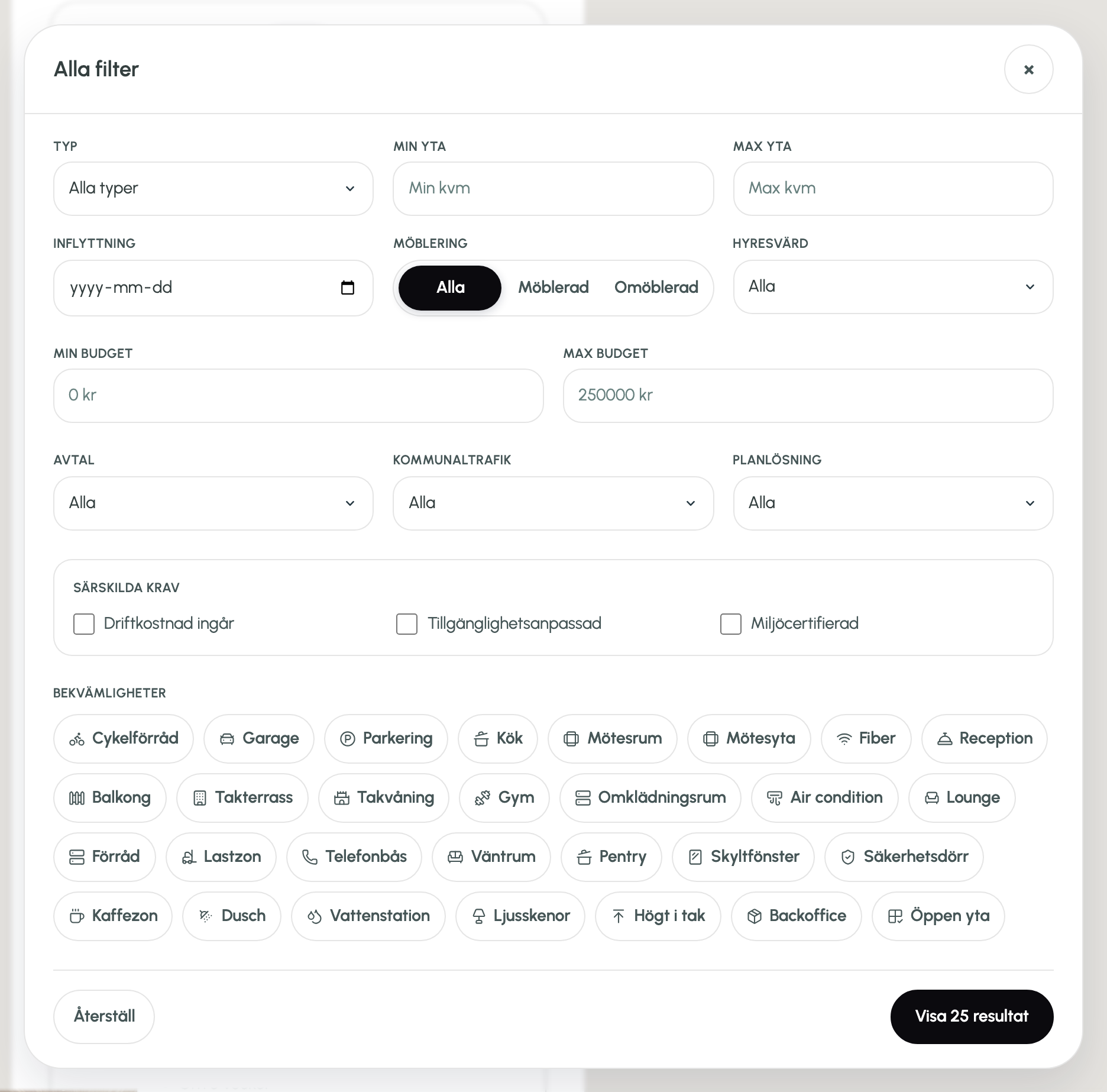
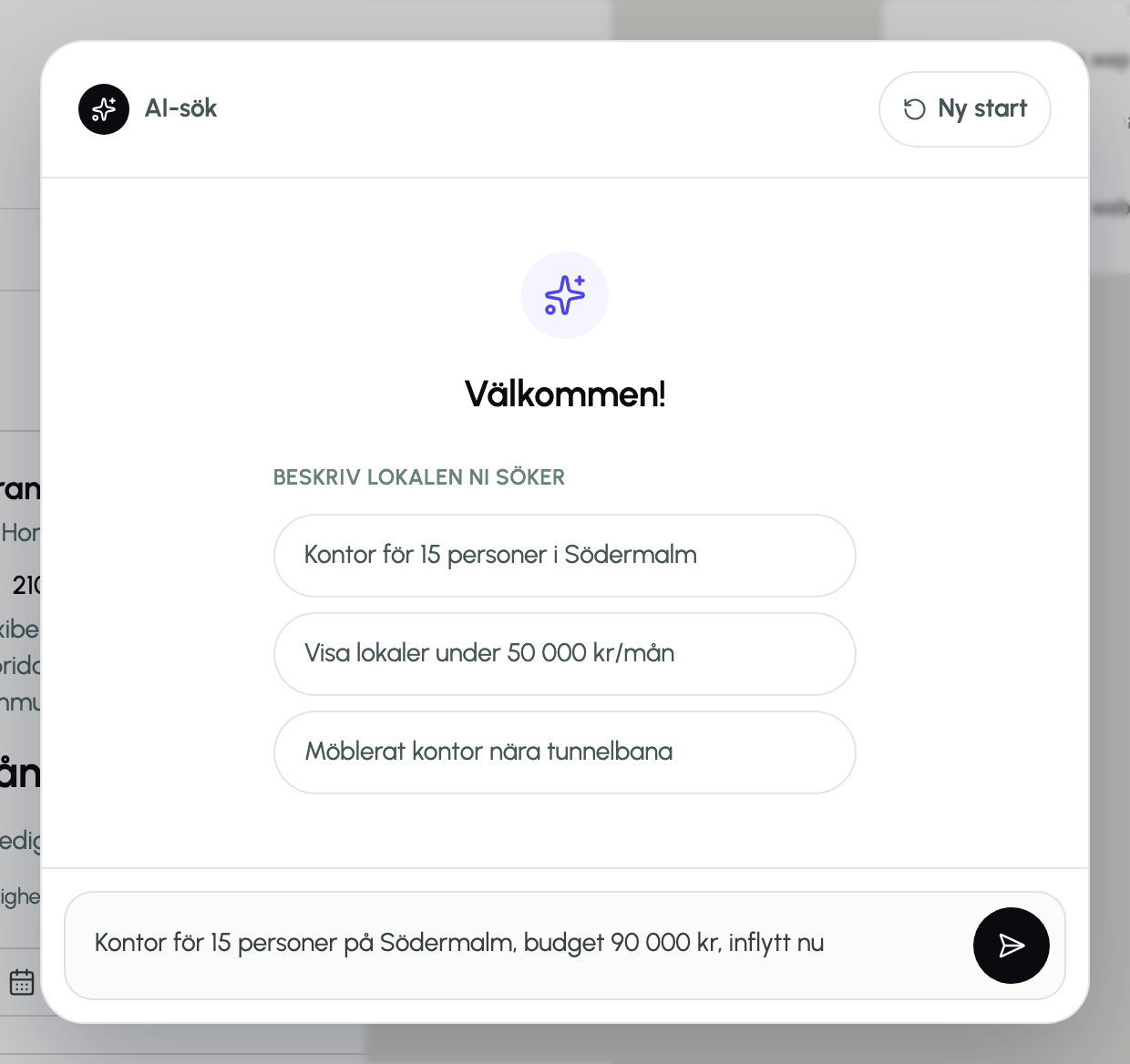
The AI search is honest about what it is: a deterministic Swedish request parser over the same match engine that powers the filters. It extracts district, type, budget, team size and “ledig nu”, merges them into the active filters, and returns the top matches with a short explanation. No black box — every choice it makes is a filter you can see and change.
The object listing page
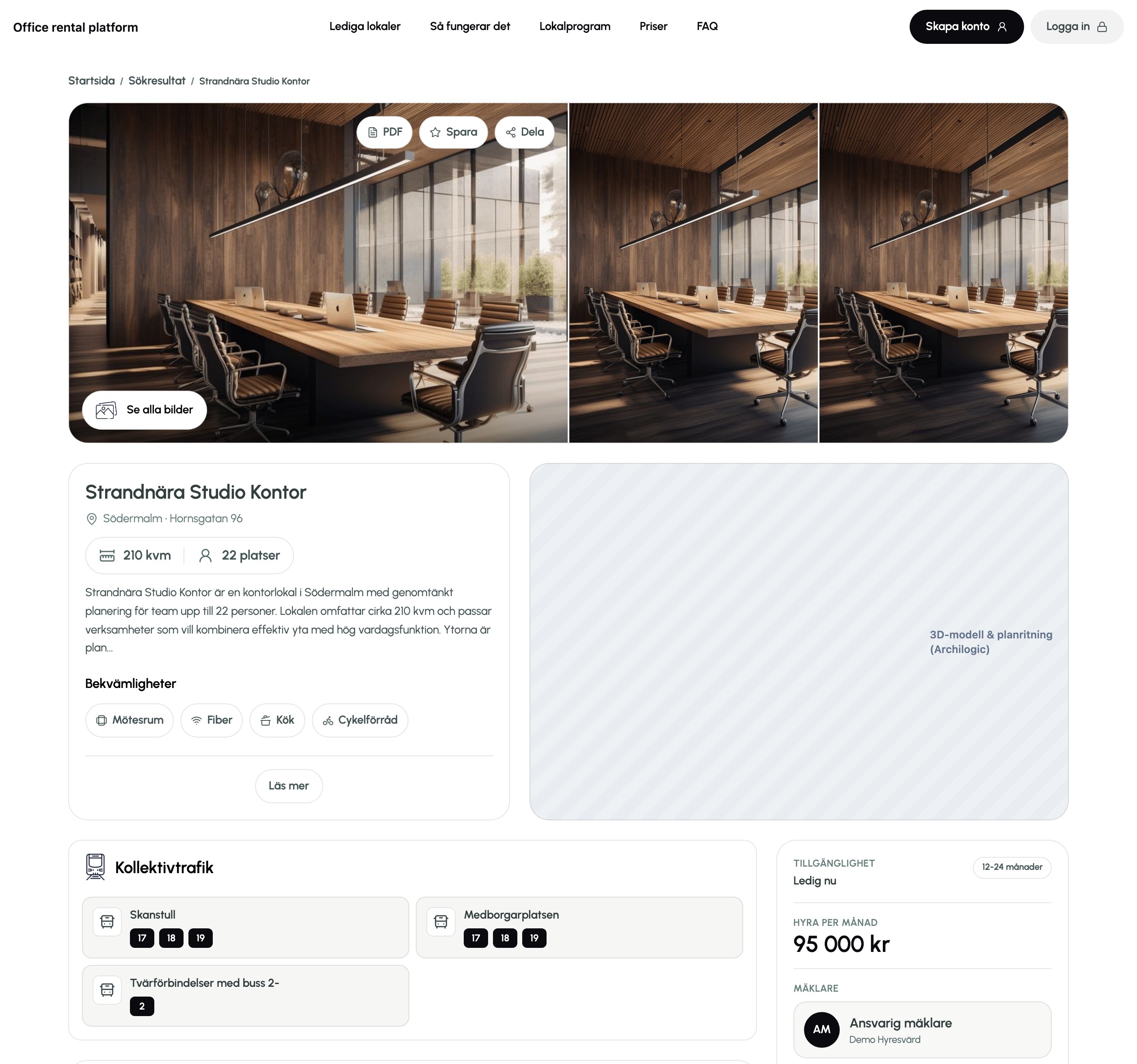
The listing page has to carry the whole decision. It opens with a gallery (with a full lightbox and a PDF export), then the structured facts: size, capacity, description, amenities. A sticky contact card holds availability, monthly rent, the responsible broker, and the “Boka visning” and “Kontakta uthyrare” actions.
Below that: an interactive floor-plan and 3D walkthrough via an Archilogic model, a public transit block with real lines and nearby stations, an area / neighbourhood section with a map and street-view toggle, and a “Liknande objekt” row of ranked similar listings.
Admin & broker panels
Publishers get a real back office, not a settings page. The broker panel and the company-admin panel share one shell — a collapsible left sidebar, the same layout and components — but differ in scope: a broker sees their own listings, leads and performance; a company admin sees the whole company, plus the broker team and company-wide analytics.
Lead CRM
Every viewing request becomes a lead with a fit score and auto-generated match tags. Leads move through a canonical pipeline, each with a side-panel of detail and an activity log (note / call / email / viewing). The pipeline is the backbone of the “minimal manual operation” principle.
Listing management & publishing
“Dina objekt” opens each listing into an in-panel editor, sectioned by base info, amenities, images and terms, with a fixed action footer. Publishing runs through a three-step wizard (Grundinfo → Villkor → Granska & publicera) with a live quality score, required-field validation, draft saving, and a duplicate-address signal.
Analytics
The company-admin panel has a nine-module analytics view built on Recharts — KPI overview, a views/enquiries trend, type distribution, per-area performance, a conversion funnel, broker performance, a weekly-activity heatmap, a per-type trend and extended metrics. It reads real data from the tenant’s own listings and falls back to an empty state rather than fake numbers.
Broker verification
A broker requests to join a company by organisation number; the company admin gets a notification and approves, edits or rejects. Approval grants the broker role, links the membership, and notifies the broker. Removing a broker steps their roles back down safely.
These panels sit behind auth, so they are described here from the build rather than shown as screenshots — the public surfaces above are all live in the running app.
Backend & data architecture
Convex holds the whole backend: a typed schema, the query/mutation functions, reactive subscriptions that keep the UI live, and file storage for floor plans. WorkOS is registered as a custom-JWT auth provider, so Convex verifies the token itself (RS256, JWKS from WorkOS) and every function resolves the caller from that verified identity — never from anything the client sends.
The data model — 11 tables
- Identity: users, companies, companyMemberships, notifications.
- Marketplace: listings, listingViews, favorites.
- Deal flow: viewings, leads, leadActivities.
- System: appMeta (seed markers, migration state).
Every table carries a stable public id alongside Convex’s internal id, and a hand-picked set of indexes (by owner, by status, by company, by user + listing, by publisher + follow-up date) so list and pipeline queries stay index-backed.
Server-enforced rules
- Draft listings are visible only to their owner, the owning company, and that company’s brokers.
- A listing’s quality score is computed server-side from field completeness; publishing checks a minimum set of fields.
- Leads are auto-qualified with budget / timing / team-size tags when a viewing request comes in.
updateMephysically cannot patch a role; role changes go through a separate, checked mutation.- Sanitised user objects strip the token identifier and subject before they ever reach the client.
An auth-safety regression test
Because the auth model got complex, I wrote a static check (npm run test:auth-safety) that fails the build if a public role-escalation mutation reappears, if updateMe starts accepting a role, if seeding stops being env-gated, or if the user sanitiser stops stripping identity fields. It codifies the invariants I kept almost breaking during refactors.
Migrations
Schema changes ship as idempotent, dry-runnable backfills — normalising legacy lead and viewing statuses to a canonical pipeline, and widening listing images from bare URL strings to { url, order, tag } objects before narrowing the schema back down. The pattern: widen the schema to accept both shapes, backfill, then narrow.
Sign-up, sign-in & onboarding
Auth went through a full migration. The first version used Clerk; I moved the whole thing to WorkOS AuthKit backed by Convex, because WorkOS’s hosted AuthKit plus a custom-JWT provider in Convex gave a cleaner split between identity and application data, and a path to SSO later.
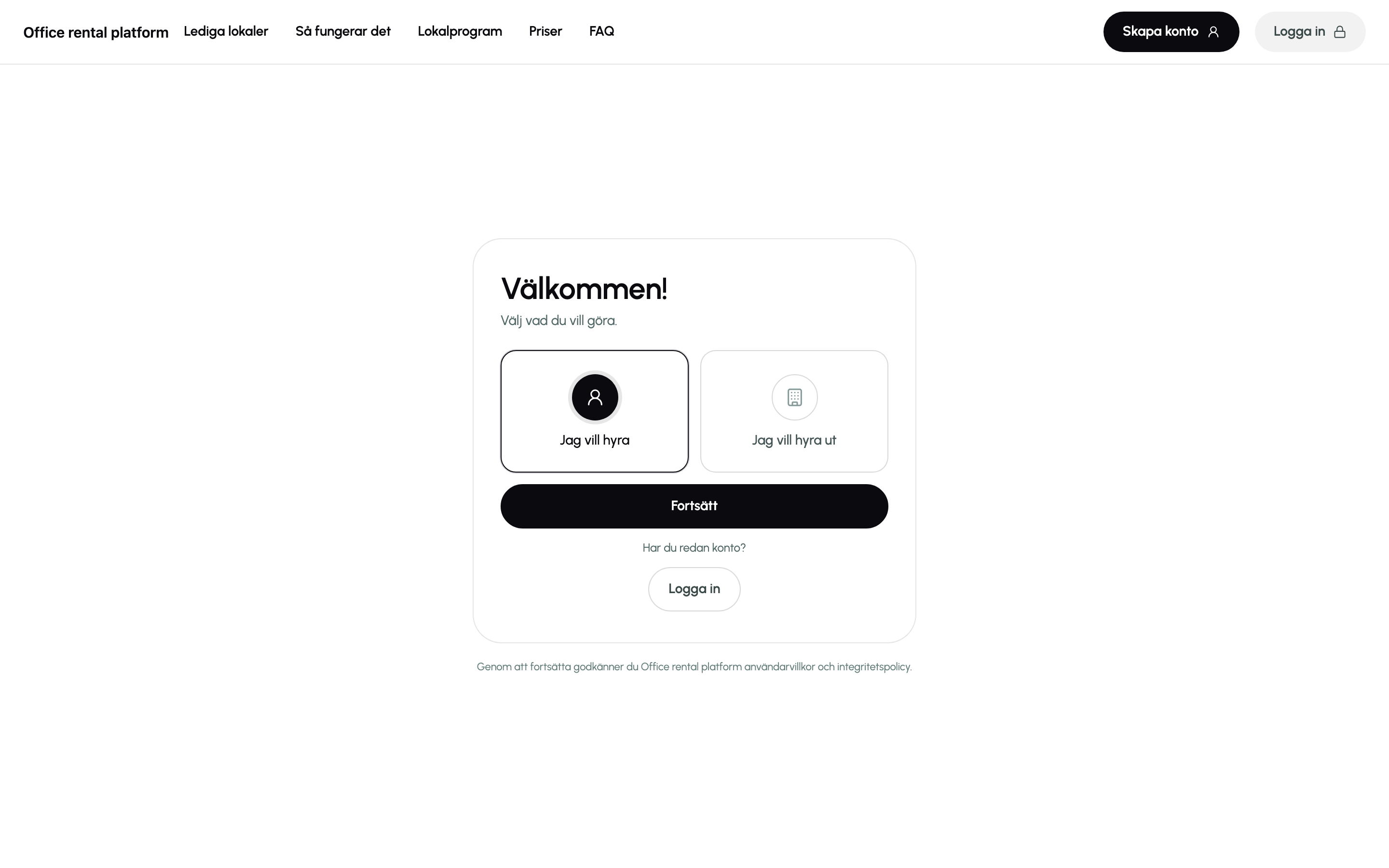
Sign-up is role-first: you choose “I want to rent” or “I want to rent out” before you ever see WorkOS, so the intent survives the OAuth round-trip. After WorkOS returns, the app lands on a quiet loading state (not a jarring blank redirect), syncs the identity into a Convex user, and drops you into the onboarding flow for your role.
Four onboarding flows
- Tenant: build a Lokalprogram (17 fields), review. On finish it seeds the search filters.
- Broker: publisher profile, then a verification request to the company admin.
- Broker with program: both of the above.
- Company admin: company profile with organisation-number lookup and dedup against existing companies.
Things that were fiddly on purpose
- A brand-new Google sign-in for an unknown email must land in Skapa konto, not a login page, with name and email pre-filled but the account not yet created.
- Drafts persist to local storage so a refresh mid-onboarding loses nothing.
- A renter-only account and a company-admin account for the same email are reconciled on sign-in instead of colliding.
- Back navigation works at every step, including role re-selection.
Integrations & tooling
Third-party services
- WorkOS AuthKit — hosted sign-in and Google OAuth; custom-JWT provider verified inside Convex; dev/preview/prod redirect and CORS config committed to the repo.
- Convex — backend functions, reactive database, file storage, env-gated seeding.
- Google Maps — result-list map, listing-area map and street view, custom map styling.
- Archilogic — embedded 2D/3D floor-plan and walkthrough on listing pages.
- PostHog (EU) — a typed analytics layer: search performed, signup completed, viewing requested, lead status changed, AI prompt submitted.
Build & data tooling
- A Playwright scraper that pulls real office listings from a Stockholm property owner’s site — with a robots.txt parser and polite rate limiting — to seed a credible catalogue.
- The
test:auth-safetystatic check described above. - A local mock-data seed so the app is usable on first boot without any network calls.
- Deployment config for Vercel with per-branch preview auth.
Skills & tools
Research
Discovery & planning
Competitor teardown, flow sketches and adoption mapping before drawing any screens.

Design
Product design (UX/UI)
Designed the entire product end to end, from information architecture to high-fidelity UI.


Development
Frontend development
~25k lines across 60+ components and pages: React, Vite, and Tailwind.

Development
Backend & integrations
Convex backend and schema, WorkOS auth, Google Maps, Archilogic and PostHog.
Where it goes next
The platform is pre-launch. The honest status: the tenant and publisher surfaces are built and working end-to-end on a real backend; the integrated messaging and offer flow is partial; and nothing has been tested with real users yet.
- Finish the integrated communication layer — offers, counter-offers, e-sign partner — so the whole deal closes in-platform.
- Replace the keyword-based AI search parser with a real model call, keeping the “filters shown, always editable” contract.
- Wire the Lokalprogram into an actual matching feed for owners, not just a saved spec.
- Seed 50–100 real listings and run a closed beta with a handful of owners and tenants; instrument time-to-first-qualified-lead and response time.
- Legal review of the platform-vs-broker line and the terms before any public launch.
- Swap the placeholder brand mark in the app header for a finished brand identity throughout.
I built this to have one project where I owned the entire stack — the market case, the product decisions, the design system, the React frontend, the database schema, and the auth and API integration — and had to make them all agree with each other.